

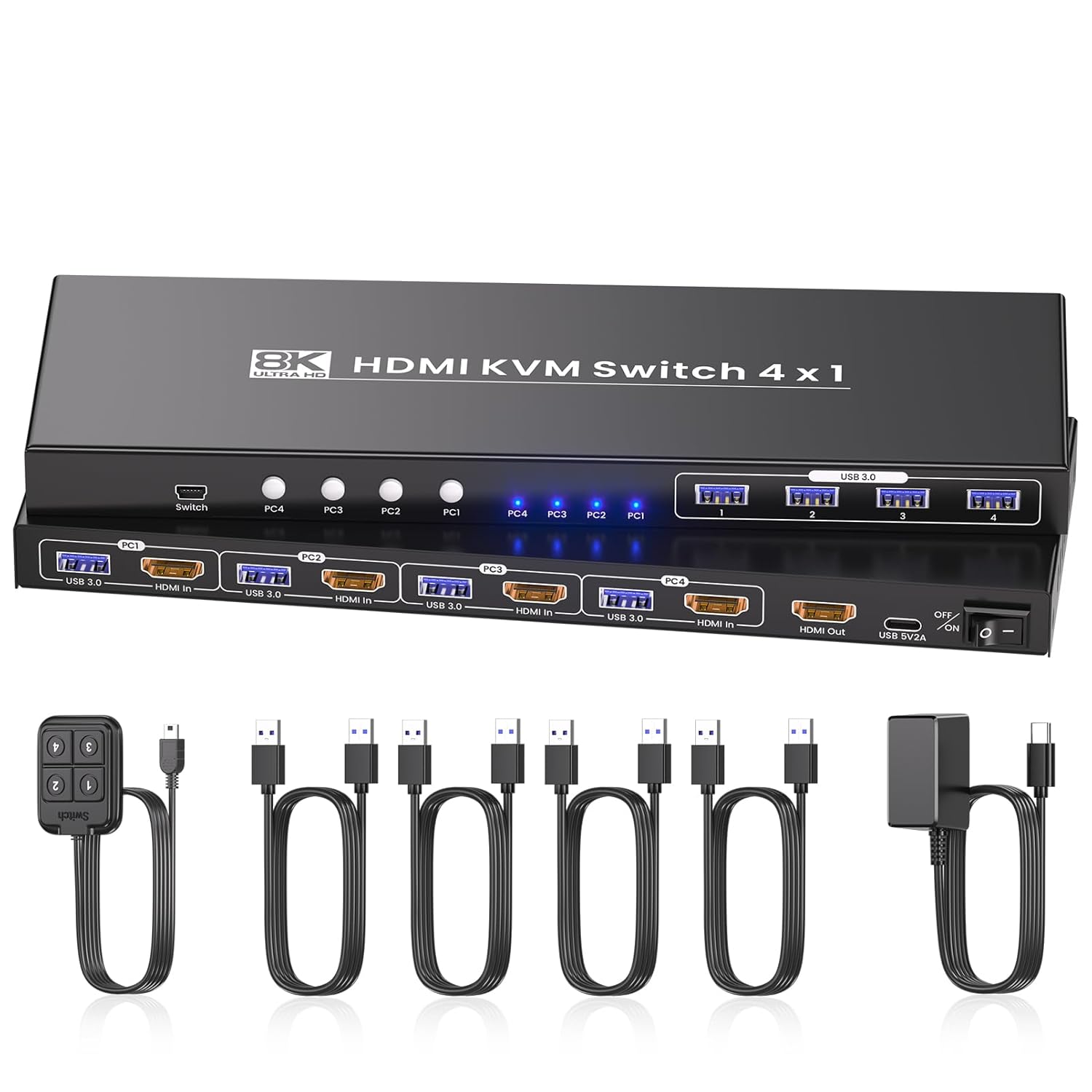
2 Port HDMI USB 3.0 KVM Switch with Aluminum Alloy Shell and Digital Display,Audio/Microphone, 4K@60Hz,hotkey,Auto EDID, HDR10 with Cables
Product details
| Management number | 209078883 | Release Date | 2026/03/29 | List Price | $26.00 | Model Number | 209078883 | ||
|---|---|---|---|---|---|---|---|---|---|
| Category | |||||||||
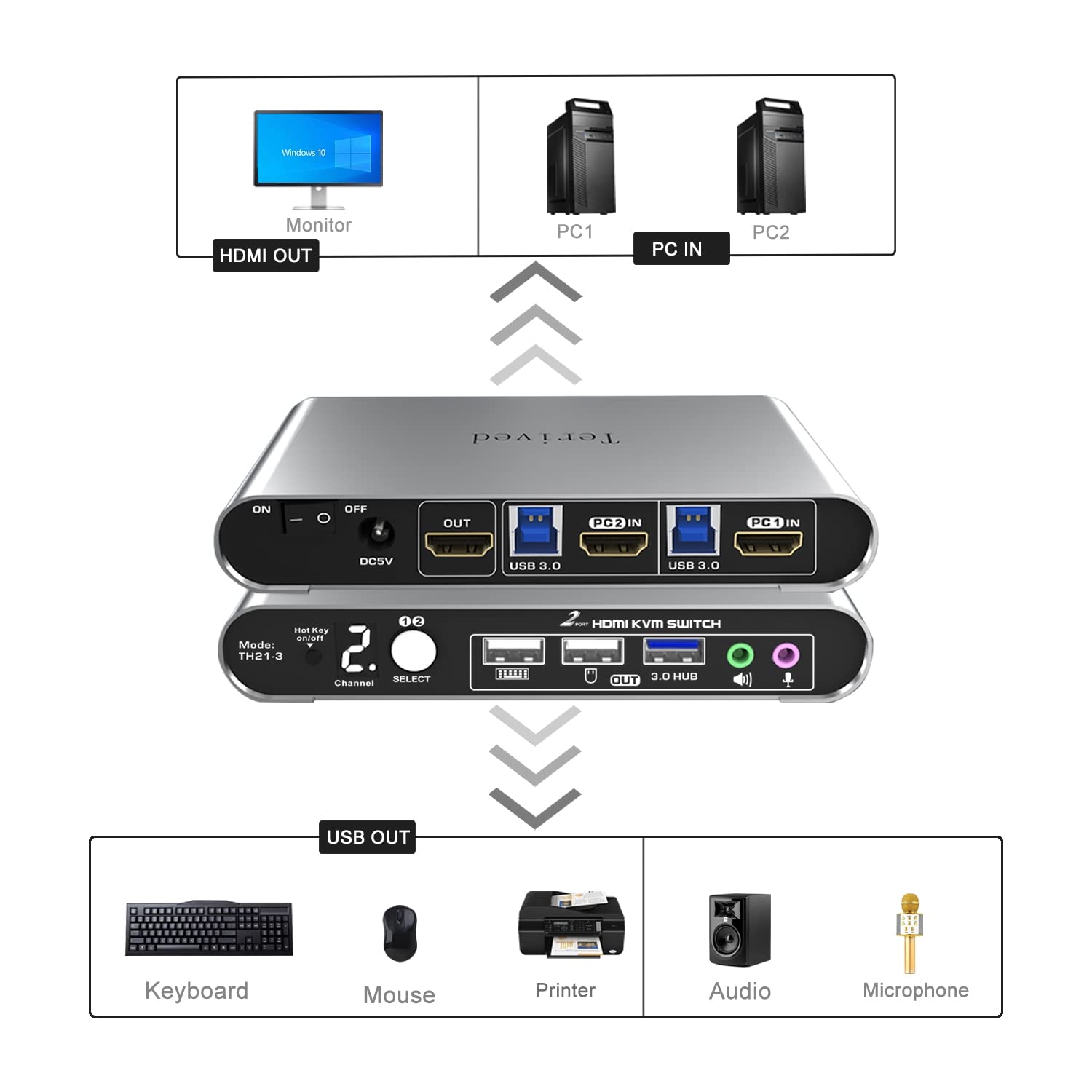
- Attention: Please connect the two USB cables between the computers and the KVM switch. If you do not plug them into your computers, the front USB ports will not function. To set up the audio, please select 'Speaker (USB Audio Device)' as the sound output option after connecting your audio device to the front 3.5mm jack.
- Aluminum Alloy shell - We want to give customers the best quality; we use aluminum alloy for the body, which provides you with an excellent premium look, great drop resistance, light-weight, strong, and robust corrosion resistance
- Digital Display- KVM Switch 2 port with a digital display which lets you easy to see the current channel even in the dark investment
- Hotkey - Tired of a manual button switch? This product gives you a convenient way to switch with keyboard hotkeys
- Two Computers, One HDMI Monitor: Control two HDMI-interface computers or other applicable devices using a single keyboard, mouse, HDMI monitor with audio & microphone support, and a USB 3.0 HUB.
- HDMI Switch 4K - Supported resolutions: 480i, 480p, 720p, 1080i, 1080p, 2K@144Hz, 4K@60Hz RGB 4:4:4 HDR10, HDMI 2.0 compatible.Auto-Scan, auto-detection, auto EDID. Hot plug & play and HDCP. Multi-platform: support Windows 11/10/7/2000/XP/Vista, Linux, and Mac
- KVM switch with Automatic Switching: To enable the automatic switching feature of the KVM switch, press Right [CTRL] twice, then [S], and [Enter]. The default auto-switching time is 10 seconds. (To turn it off, simply press this shortcut combination again). You can adjust the auto-switching time by pressing Right [CTRL] twice, followed by [S], then [N], and [Enter], where 'N' represents the number of seconds for the switching time (ranging from 1 to 999 seconds).
| UPC | 860008984197 |
|---|---|
| Model | TH21-3 |
| Terminal | Plug-in |
| Brand Name | Terived |
| Unit Count | 1.0 Count |
| Switch Type | Button Switch, Mouse Scroll Wheel, Keyboard Switch |
| Circuit Type | 2-way |
| Contact Type | Normally Open |
| Manufacturer | Terived |
| Actuator Type | Keyboard Hotkey |
| Material Type | Aluminum |
| Mounting Type | Plug-In Mount |
| Connector Type | Hdmi,plug In,usb |
| Control Method | Touch |
| Operation Mode | manual and automatic |
| Number of Items | 1 |
| Contact Material | Aluminum |
| Operating Voltage | 5 Volts (DC) |
| Number of Positions | 2 |
| Connectivity Protocol | Hdmi |
| International Protection Rating | IP54 |







Bestseller ranking
KVM Switches



Customers who viewed this product also viewed
Freestanding Wine Racks & Cabinets


Correction of product information
If you notice any omissions or errors in the product information on this page, please use the correction request form below.
Correction Request Form